




Summary

Administration: customizing Terms of Service and Privacy Policy
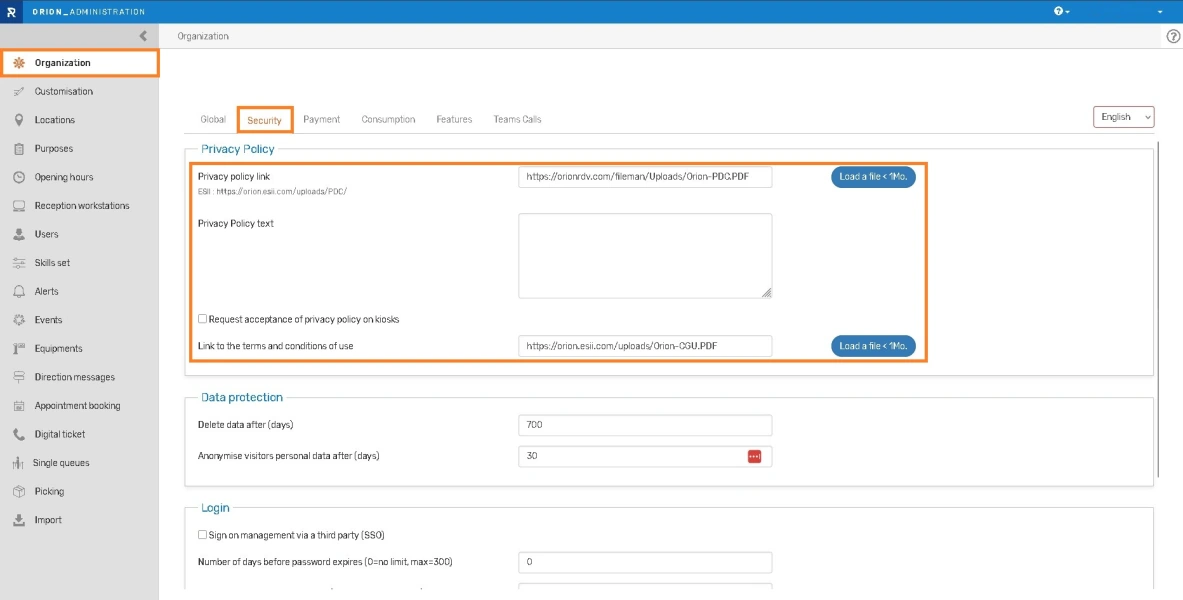
You can now integrate your own terms of service directly into the appointment making module.
The privacy policy was already customizable.
Go to the Administration module > Organization > Security to upload your files.
Appointment: assignment
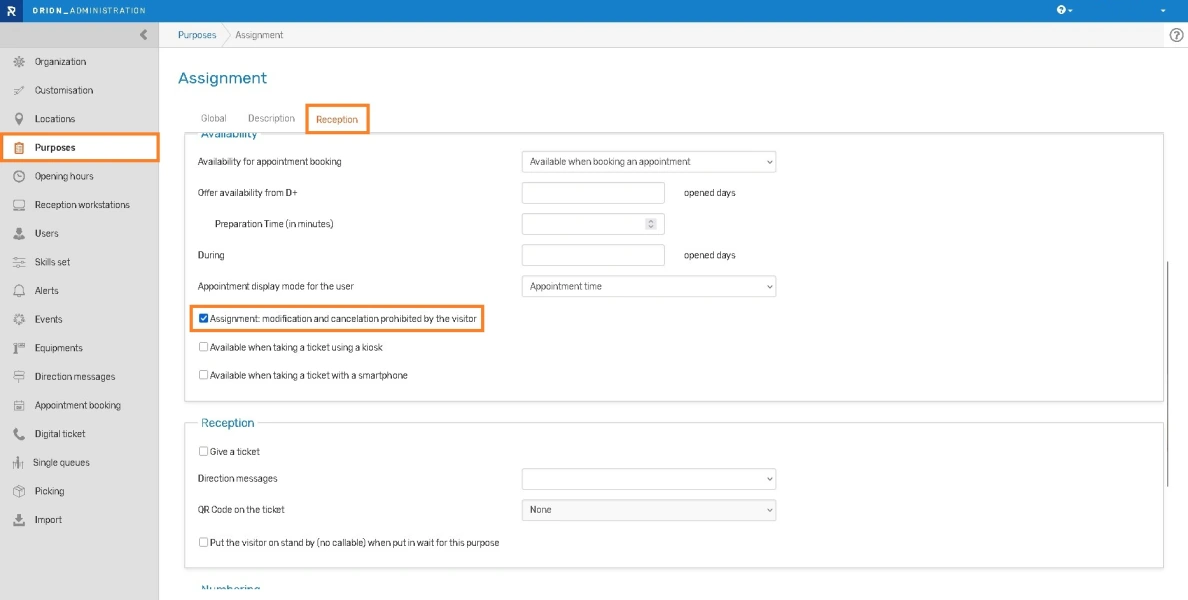
An appointment can be configured as an assignment, so that it cannot be modified or canceled by the visitor.
How to activate this option?
- Go to the “Purposes” menu and select the relevant purpose.
- In the “Reception” tab, check the “Assignment: modification or cancellation prohibited by the visitor” setting.
Appointment: visitors notify arrival from their smartphone
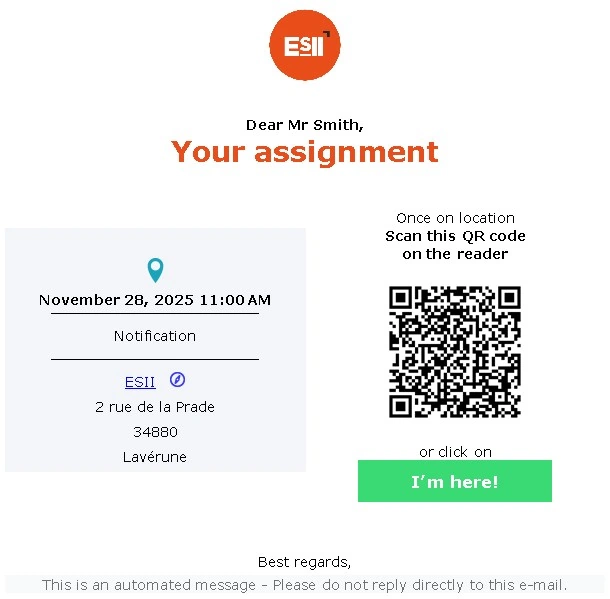
When they have an appointment, visitors can now notify you of their arrival using their smartphone.
Two options:
1-Via the kiosk
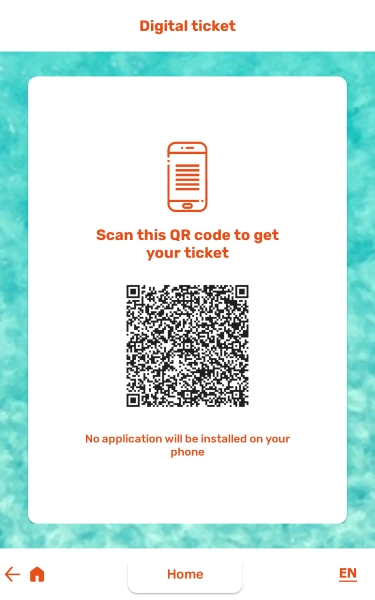
- Prerequisite: The digital ticket must be activated on the kiosk.
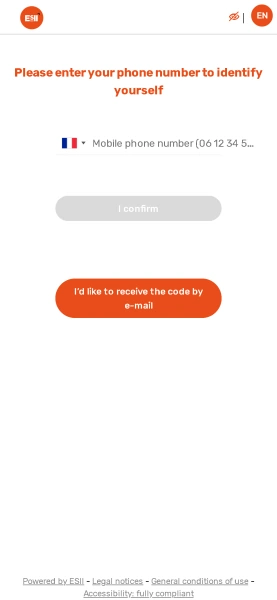
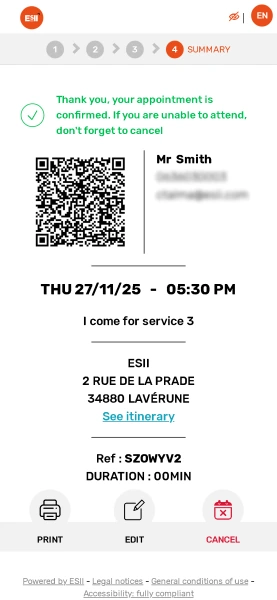
- The visitor identifies himself with his phone number and then selects the digital ticket. He scans the QR code and can check in using his smartphone.
2-By scanning a QR code
- Via Booking > Digital ticket or appointment on the homepage, replace “usemode=select” with “usemode=ident” in the URL.
- Generate a QR code for the modified URL and display it, so your visitors can scan it upon arrival.
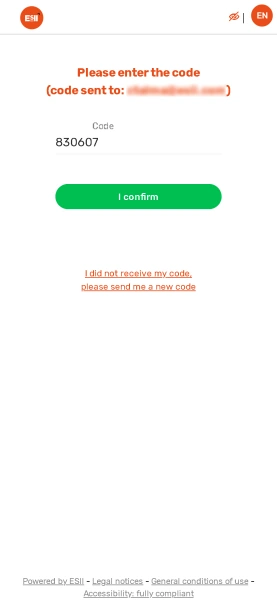
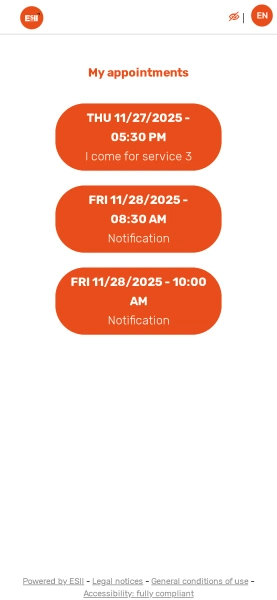
- When visitors scan the QR code, they are asked to identify themselves using their phone number or email address. Depending on the identification method chosen, they will receive a text message or email with a verification code to access their appointments.
- By clicking on the relevant appointment, visitors confirm their arrival on site.
Bug fixes and performances improvements
Visitor database/Agenda
- Empty workstation and user lists on some accounts, with an administrator user on all locations
- Fixed issue when an appointment location is changed
- Arrival time is retained even with successive directions
- Location changes for an event is not possible when the event takes place at a location not managed by the user
- Filters are retained when a visit is edited
Administration
- When the purpose of visit is modified, the “Give a ticket” option remains checked
Kiosk
- Correct display of buttons at the bottom when generic disability mode is activated and when there is no home page on the Stela