




New reception module
New features are available in the latest version of the reception module:
Ticket type selection when directing visitor
As a reminder, the ticket type to offer is configured at the workstation level.
Search feature
You can now search for visitors already received and appointments canceled for the day.
Visitor information
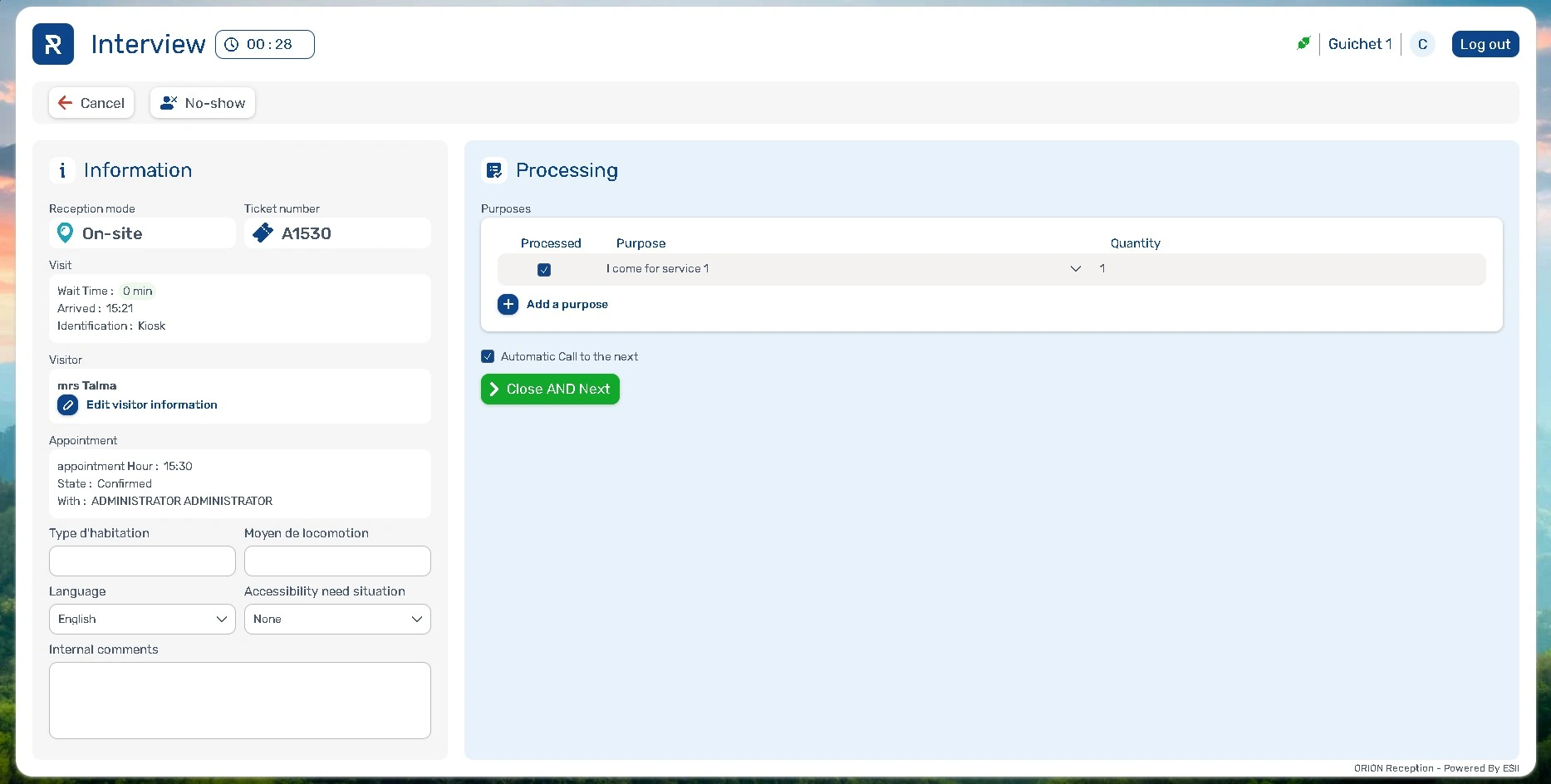
You can edit visitor information from the reception module screen.
One-click closing and calling
A single button allows you to close the appointment and call the next visitor. If you do not want to call the next visitor immediately, uncheck the “Automatic call to the next” box.
Profile menu
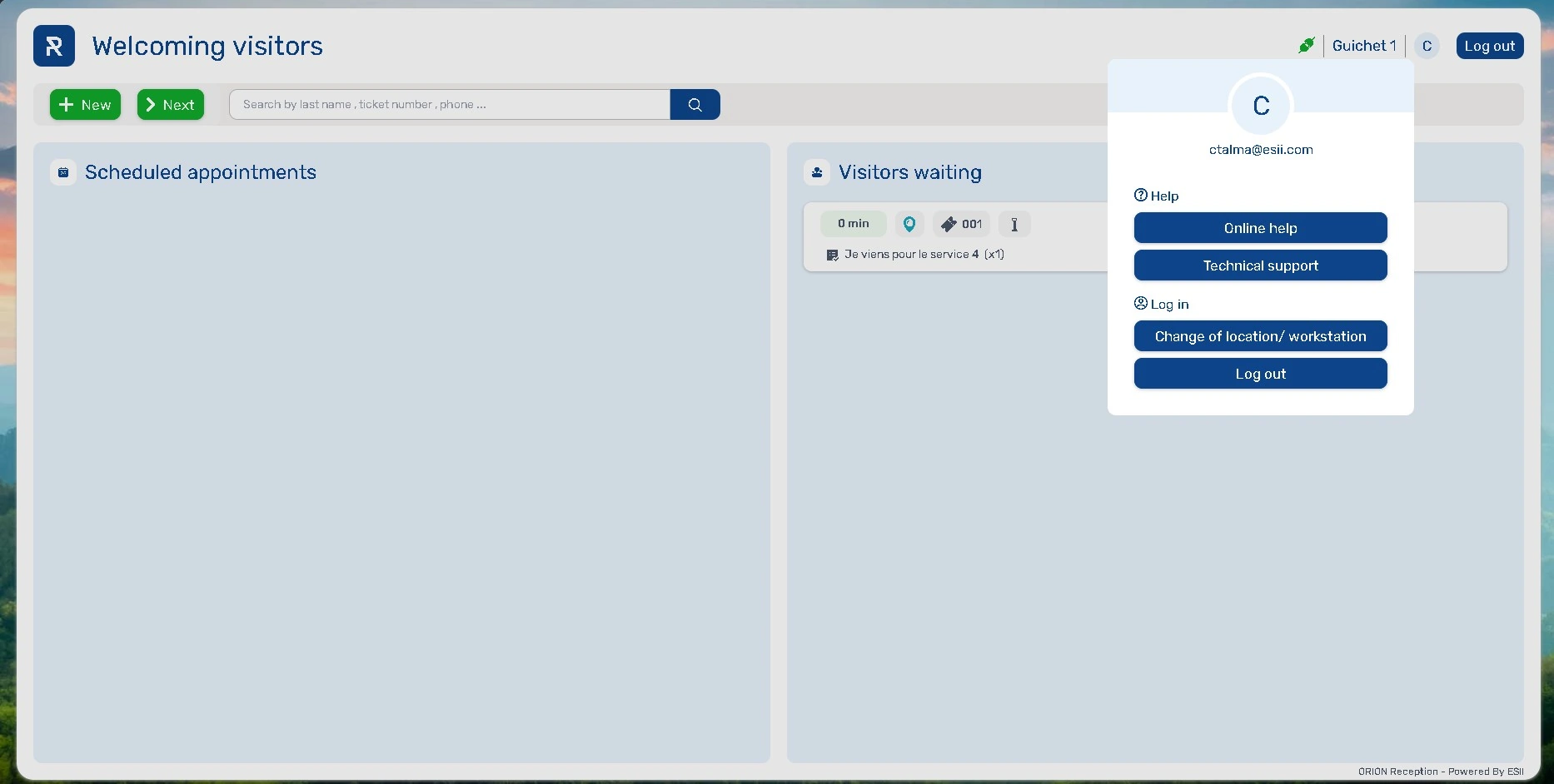
A new button with the first letter of the name of the user connected is available in the upper right corner of the screen. It allows:
- Access to online help
- Access to technical support
- Disconnecting the workstation
- Switching locations and/or workstations
Improvements are also included in this version:
- “Call in progress” flashes for greater visibility of this status
- Improved tooltips for better usability
- Grouping of directing options into a single block for better readability
- During a call, the label “Receive” changes to “End call”
Ergonomics at the kiosks
Button design
The ergonomics of the buttons on the kiosk have been improved:
- Added border for better visibility
- Simplified pagination
- The button for selection disability status is available on every screen
Accessibility option
A new option, “I don’t want to specify my situation” is available.
Keo
On the Keo kiosk, it is possible to display 6 selection tiles per screen.
Other new features
- The multilingual welcome message no longer scrolls when the visitor selects a language on the homepage.
- When multiple purposes are selected, the add button now appears as a tile.

Appointment identification on the kiosk
Until this version, appointment identification could be done using the following methods:
- QR code on the appointment confirmation
- French health insurance card
- Belgian identity card
- Phone number
This new version introduces new identification methods:
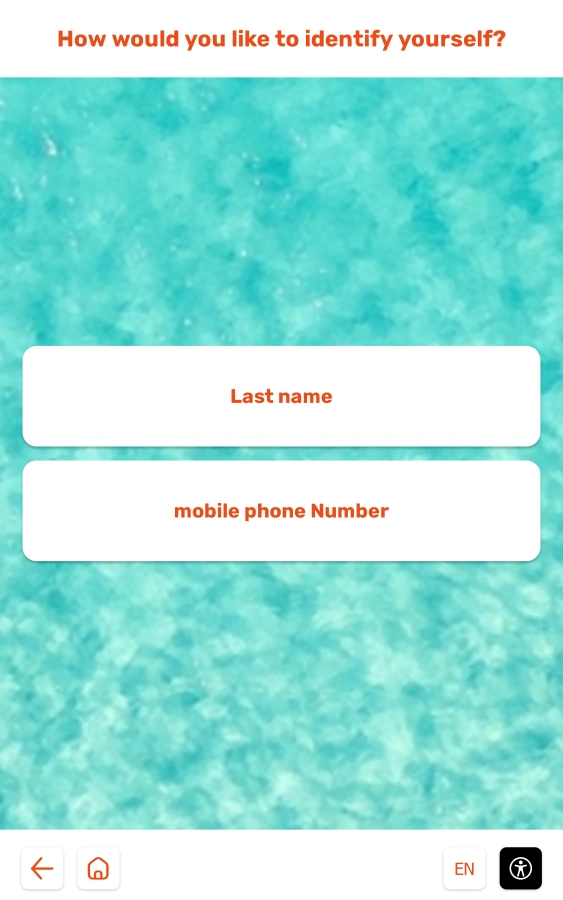
- By last name (and first name in case of homonyms)
- By any custom fields configured with the “Allows identification” option
Configuration
In the kiosk configuration, the available identification methods are specified.
When several methods are available, the visitor chooses.
The keypad adapts according to the type of custom field (text or numeric).
Displaying events on a kiosk
You can now display scheduled events on a kiosk.
Registration for events can be done by scanning a QR code directly on the kiosk.
Configuration
To implement this feature, check “Event registration” in your kiosk options.
Other new features
Dates in ISO format in CSV files
- The date format is changing from DD/MM/YYYY to YYYY–MM-DD in CSV files and APIs.
This change affects all date fields in visit files (date, appointment booking date) and event files (date, payment and registration dates).
Date of birth field in the appointment injection API
- A “birthDate” field has been added to the “Attendee” object. This ensures that the appointment is valid within the healthcare sector.
Online help
- Contextual help has been replaced by online help. The help button now redirects to online documentation, which opens in a new tab and is adapted to the current menu.
Appointment configuration associated with an external user
- This feature restricts the time slots visible to an external user based on their associated appointment configuration.
First, you need to create an appointment configuration reserved for external users, then link it to the external user in Users > External > Appointment configuration.
Removal of flags for telephone area codes
- The flags for telephone fields have been removed from all modules for simpler and clearer data entry.
Event arrival identification
- The “Validate” button when identifying an arrival has been removed to prevent user errors.
Date retention period
- By default, the data retention period is now set to 200 days for new accounts. However, the administrator can manually increase this period.
Statistics remain available indefinitely.
Anonymization is maintained at 30 days by default.
Call display
- In the video, the arrow between the called number and the calling workstation ID is removed.
Bug fixes and performance improvements
Security
- Update to the “Spring” framework version of the “Administration” module
- Update to the Spring-security version of the authentication server
API
- API examples updated
- Added “lastUpdateUsereMail” and “LastUpdateDateTime” to the “Appointment” object
- Added “externalLabelList” to the “PourposeConfig” object
Kiosk
- Translation of custom fields, even if the language is changed on the form screen
- Immediate implementation of a language change on the organization or location
Other improvements
- Event reminders are correctly sent, even if the recurring event is modified
- The title is correctly displayed in the agenda
- No lag in during calls, even with a large number of saved calls
- YouTube videos automatically reload if they freeze