


Summary

New reception module
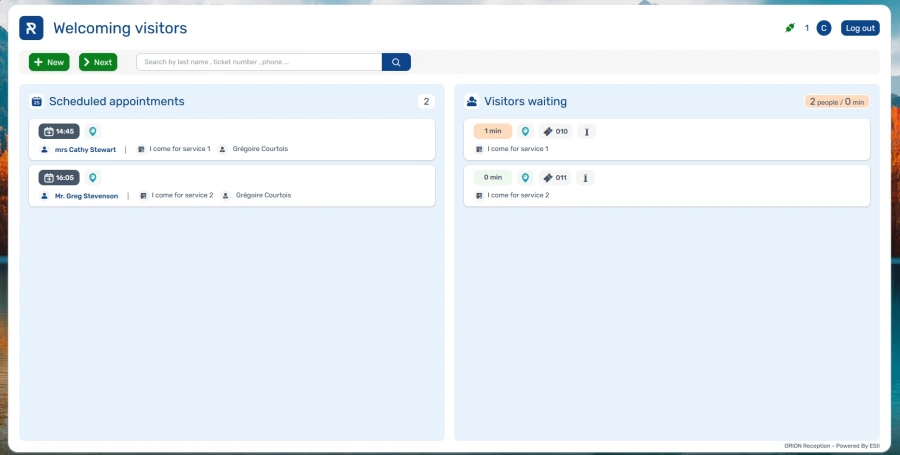
The new version of the Reception module continues to be enhanced with new features:
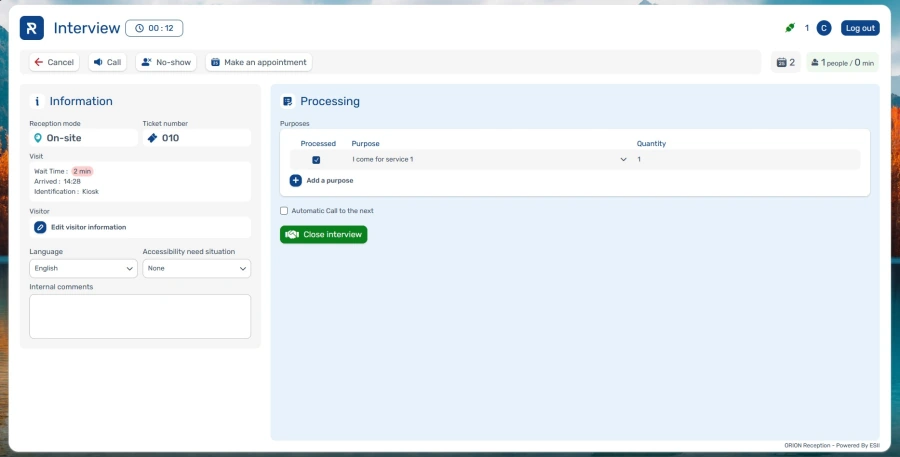
- A “Call waiting to be broadcast” message at the top of the interview window when a call is already in progress and multiple calls cannot be broadcast simultaneously (primarily when text-to-speech is enabled).
- Support of the “Pause” feature.
- Automatic call preferences are saved for each user.
- Appointment booking button visible during the interview.
- Ability to direct a visitor to a specific user.
- Visitor arrival alert management (configurable in the administration module).
- Display of the visitor’s photo (when using Twana Picture kiosks).
- Ticket printing for information-type purposes (if the “Give a ticket” option is checked for the purpose).
Indicators
- Display of the “Number of Upcoming Appointments” in the list.
- Display of the “Number of Visitors Waiting” and “Average Wait Time” indicators, accompanied by a color code to help identify situations requiring special attention:
Red: high volume or wait time exceeding the defined thresholds.
Orange: high volume or wait times approaching the alert threshold (volume > 75% of the threshold or wait times between 50% and 100% of the threshold).
Green: situation under control and in line with objectives (wait times ≤ 50% of the wait time threshold). - These indicators are also displayed during the interview.
IMPORTANT
To prepare for the rollout of the new version, here are the next steps in the deployment schedule:
- Starting in January 2027, the link to V2 will be activated by default for all clients.
- Starting in May 2027, version V1 will no longer be accessible. All access via V1 links will be automatically redirected to version V2.
We invite you to explore version V2 of the Reception module today to familiarize yourself with its interface and take advantage of all its features and improvements.
Agenda: new user interface
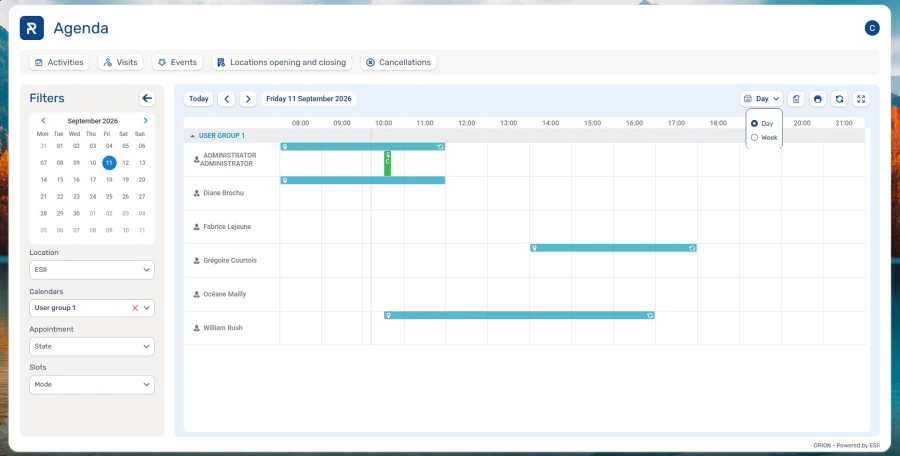
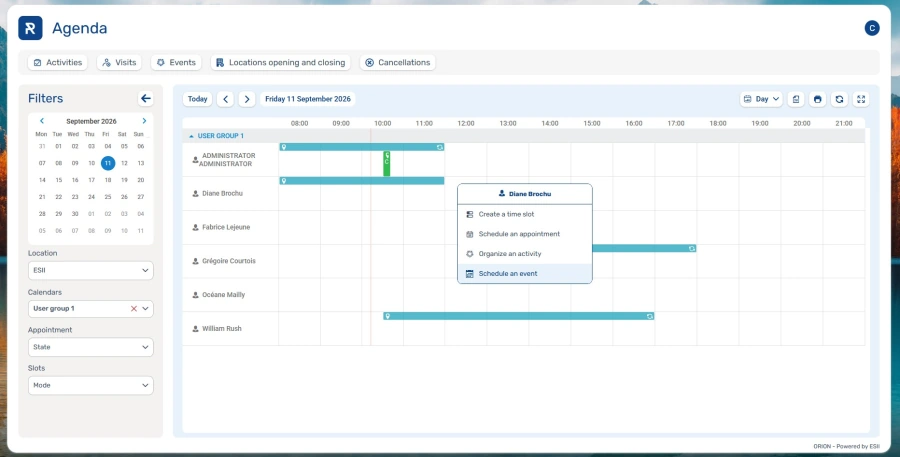
As part of our efforts to standardize our applications, the Agenda module now features the new visual style for a more consistent and seamless user experience.
Key updates
- Simplified task creation with a pop-up for selecting the task type before the editing screen opens.
- The “Today” button has been repositioned above the grid for quicker access.
- The Day, Week, and Month views have been grouped in a dedicated area on the right side of the screen for more intuitive navigation.
- Centralization of bulk close and cancel actions in the main menu.
- CSV export and “Add Participant to Event” buttons in the main menu for easier access.
- Rollout of the new design across all pages of the module
- Optimization of the mobile interface to improve the user experience on smartphones and tablets.
Opening and closing multiple locations
A new feature now allows you to open or close multiple locations in a single operation using the “Locations opening and closing” button available in the Agenda.
To simplify the process, location and calendar filters are automatically retained, eliminating the need to re-enter them.
Bulk cancellations
Bulk cancellations of appointments and time slots can now be performed across multiple sites simultaneously.
Video: list of next call display mode update
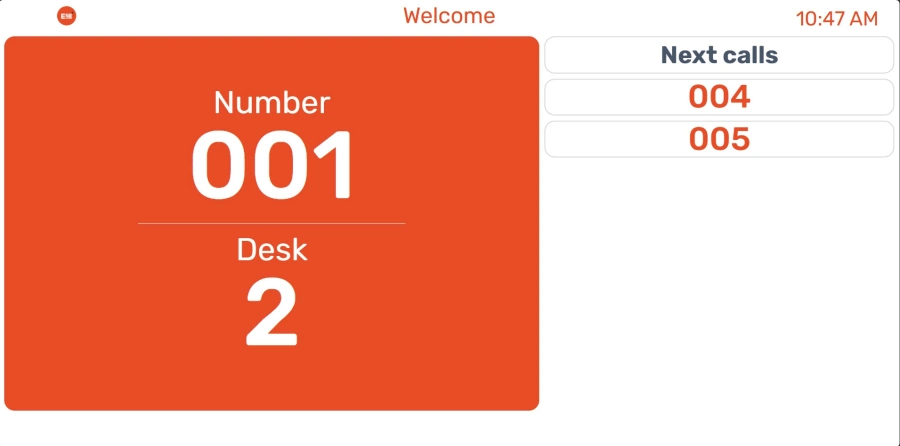
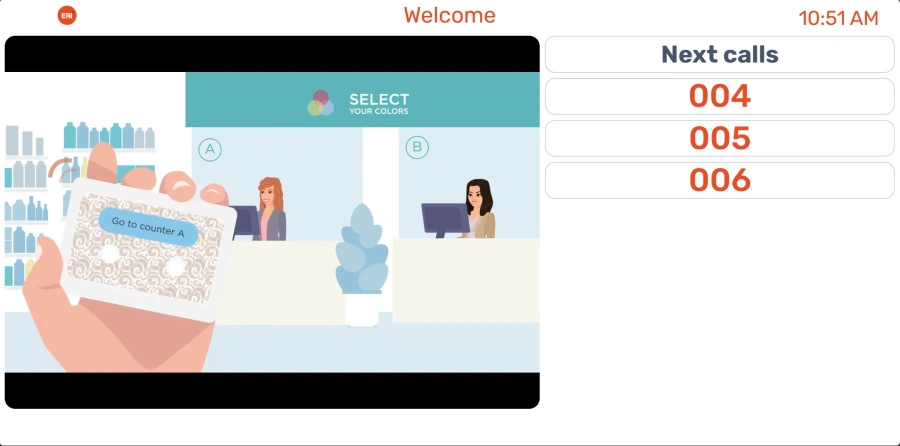
The interface for displaying upcoming calls on video screens has been updated. Other modes will follow in future versions.
Upcoming Calls
- Added a dedicated “Next Calls” heading.
- Rounded corners implemented.
- Displays 8 upcoming calls per page. The “Number of Lines” setting (Administration > Video) determines the maximum number of upcoming calls that can be displayed. We recommend choosing a multiple of 8 to ensure a whole number of pages is displayed.
- Improved page transitions with a right-to-left fade-in effect.
Calls
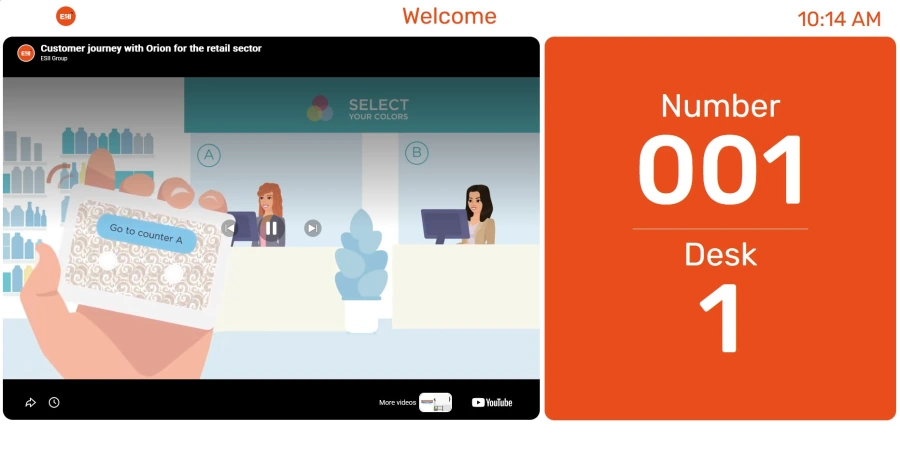
In the “List of next calls” view mode, the call display has also been updated.
- Displays the “Number” label along with the calling workstation’s name, as defined in its settings.
- When only one call is in progress, the called number and the workstation name are displayed one below the other for better readability.
- When two calls are in progress simultaneously, both calls are displayed vertically, one below the other.
- The call displayed in the list now uses the entire available height of the display area.
Implementation of multi-factor authentication
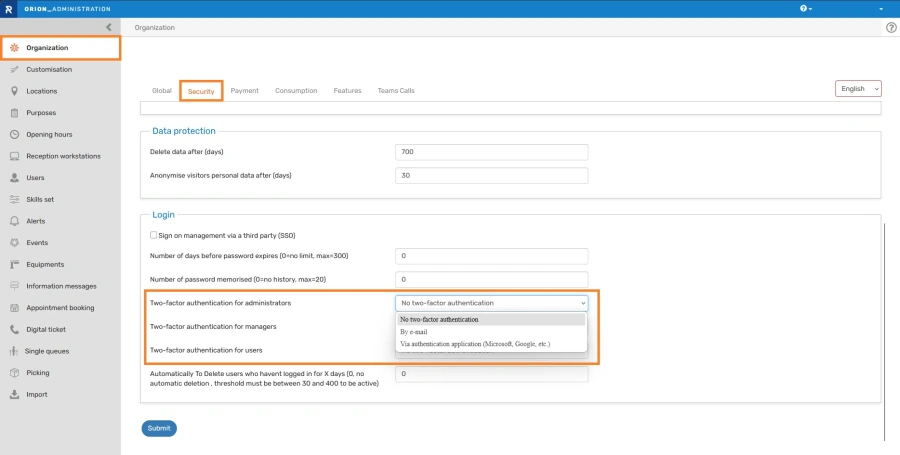
To enhance access security and better protect your data, multi-factor authentication is available. This feature adds an extra verification step during login and helps prevent unauthorized access, even if a password is compromised.
To configure this option, go to:
Administration > Organization > Security
Multifactor authentication can be configured based on the user’s profile:
- administrator
- manager
- user
Three configuration modes are available:
- No two-factor authentication (default option)
- By e-mail
- Via authentication application (using a third-party verification tool)
To simplify the user experience, the device used to log in is registered as a trusted device for a period of 15 days.
Although optional at this stage, we strongly recommend enabling multi-factor authentication, at least for administrator access initially.
ESII reserves the right to make this authentication mandatory in future versions.
Other new feature
Appointment Scheduling
- A new option has been added to skip requesting visitor information when the visitor is already known (e.g., logged in to your website, scheduled an appointment through Reception, or other cases depending on your integrations).
Bug fixes and performance improvements
Security
- Framework version updates (Spring and Angular)
Events
- Logging in the event of a failed event payment.
Visitor Database
- Display of custom fields even for walk-in visitors.
Administration
- Improvement to the message displayed when a user attempts to access the module without the necessary permissions.
- The visibility of locations for the account administrator can no longer be modified.
- View all users in a group in the dedicated column.
- The SMS ticket option is not offered if the global SMS option is not enabled on the account.
- Ability to modify the ID of a sensor associated with a single queue workstation.
Kiosk
- The user is not prompted to select a ticket type when only one type is available.
- Correction of the title displayed on the SMS ticket page.
- Correction of the display of purposes when the disability category “Mental health related” is selected.
- Improvement of the message displayed when attempting to identify an appointment that has already been accounted for.
Core
- The same number can no longer be assigned twice, including in certain specific cases related to appointments.
- Systematic anonymization of user email addresses.
- Anonymization of information related to the creator of an event.
API
- Prevents the creation of “phantom” custom fields during imports when they are not defined in the configuration.
- The “getAppointmentListFromAttendeeCode” API now returns the associated custom fields.
- Updated date examples in “getSlotList.”
Video
- Displays the estimated wait time for upcoming calls when the corresponding option is enabled.
Miscellaneous
- Improved portal display for external users with proper tile layout.