




Summary

Event without registration
It is now possible to offer events for which visitors do not need to register, thus eliminating access control.
Configuration
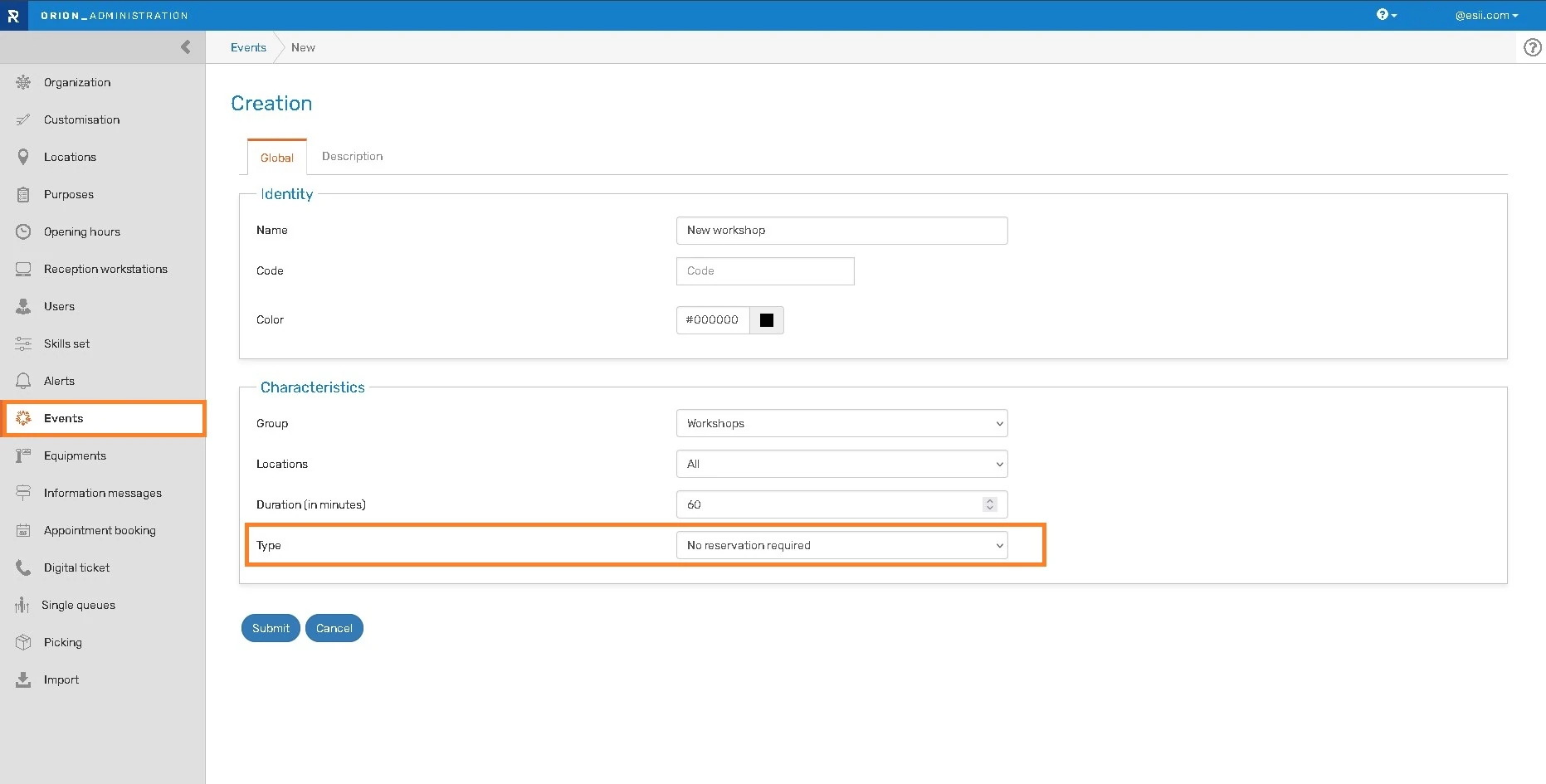
A new “Type” parameter on event topics allows you to choose between “With reservation” (default) and “No reservation required”.
Selecting “No reservation required” means that all fields below are cleared as they become irrelevant.
An icon distinguishes the two types of topics.
In the topic list, the icon is displayed for quick identification of the event type.
Agenda
When editing a non-reservation event in the “Agenda” module, the entire “Participants” area is replaced with the text “Event without reservation.”
Registration
In the event registration module, for “No reservation required” events, the selection button is replaced with “Entry without reservation.” It is necessary to specify the date of the event in the event description field so that the date is displayed in the registration module and is known to potential participants.
Analytics: new indicator
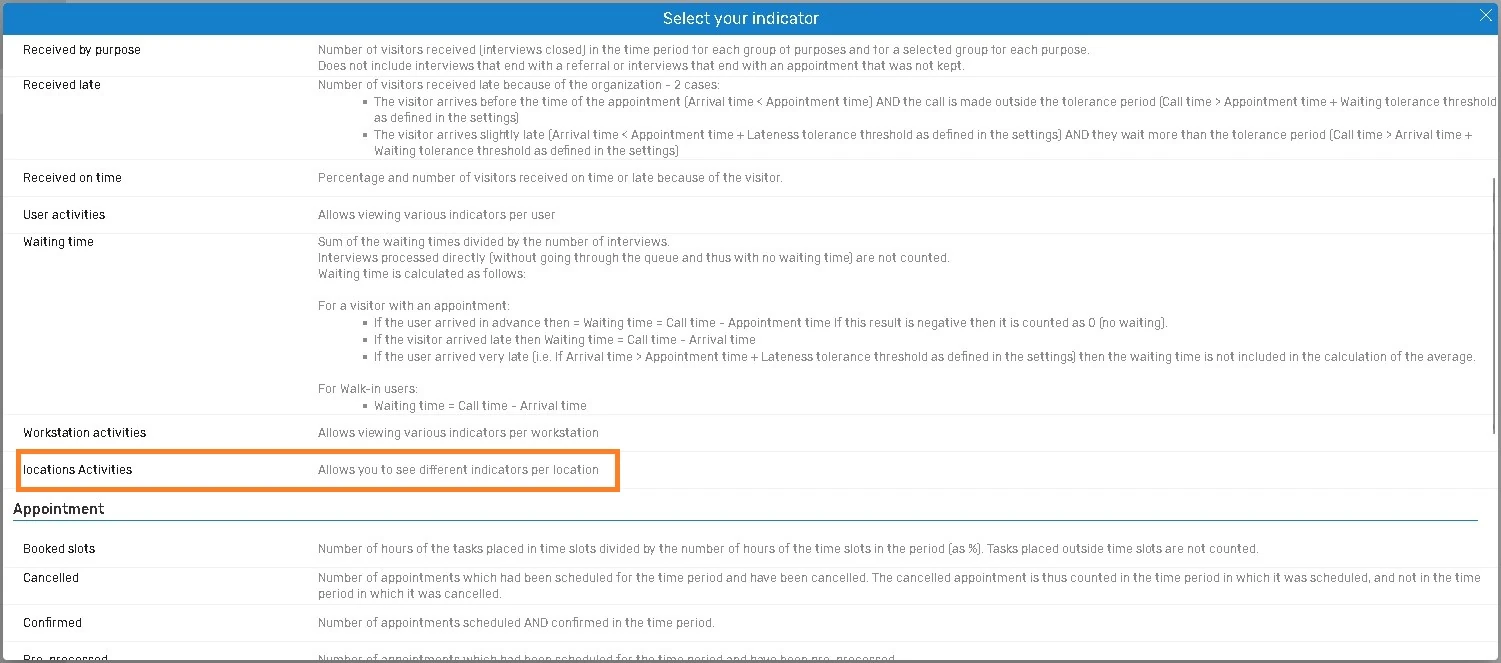
A new indicator, “Locations activities”, provides the following information for each location:
- Number of visitor received
- Average waiting time
- Percentage of visitors received on time
Clarification of waiting and interview times
Waiting times
- The waiting time for a walk-in visitor does not begin upon arrival but from the initial orientation.
- If the visit is scheduled and the visitor is placed on hold before the appointment time, the waiting time calculation begins from the scheduled appointment time.
- Call times are not included in the waiting time.
- The waiting time for a purpose of visit corresponds to the waiting time before the interview that addresses that purpose (this is the time used in waiting calculations in advanced statistics).
- The cumulative waiting time for a visit is the sum of the waiting times before each interview (this is the time generally displayed and used in calculations).
- Total waiting time = waiting time + break + interviews before the last interview (except for the first interview if it is a new visitor). This overall waiting time is used only for the call rule.
Interview times
- The interview time for a purpose of visit corresponds to the duration of the interview that addressed that purpose.
- The interview time for a visit is the sum of the interview times for all the interviews during that visit.
On-location time spent
- The time spent on-location is the time between arrival (taking a ticket or the start of the first interview if it is a new visitor) and the end of the last interview.
- Time spent at the kiosk is not yet included; it will be added to attendance time in the future.
Other new features
New reception module
- Find all the information about the new ergonomics of the Reception module on the dedicated page
- The entire area of a button becomes clickable, not just the text.
API
- Retrieve the date and time of the last human modification via the Appointments API
-> “lastUpdateUsereMail” (email address of the user who made the last update – “anonymousUser” if unknown)
-> “lastUpdateDateTime” (Date/time of last update)
Administration
- Warning regarding modifications to a user group (as changing the visibility of a group’s locations may result in a change in visibility for all users in the group).
Agenda
- Revision of the rules for allowing a location to change its group. It is not possible to change a location’s group if:
– At least one user with upcoming appointments or events on the location does not have visibility in the new site group;
– At least one workstation with upcoming appointments or events on the location does not have visibility in the new location group;
– At least one user with visibility on the location belongs to a group that has visibility in the current location group;
– At least one workstation with visibility on the location belongs to a group that has visibility in the current location group;
– At least one purpose of visit with visibility on the location belongs to a group that has visibility in the current location group;
– At least one event topic with visibility on the location belongs to a group that has visibility in the current location group;
– At least one location’s equipment uses a customization that has visibility in the current location group.
Bug fixes and performances improvements
CSV Export
- The date is now displayed correctly in the export when using the American format (when the location language is English “United States”).
- The wait time is displayed.
Reception
- Delay statuses are correctly displayed when a visitor is received without a call.
Agenda
- The “Preprocessing in progress” status can now be indicated for upcoming appointments.
- Translation of bank holidays.
Administration
- Only users from the requested location are displayed in the skills table.
Analytics
- The “mobile-null” appointment booking channel will no longer be displayed (not retroactive).
Appointment booking
- Closed days are no longer displayed when booking an appointment, even if the URL’s location code is not in the correct case.